



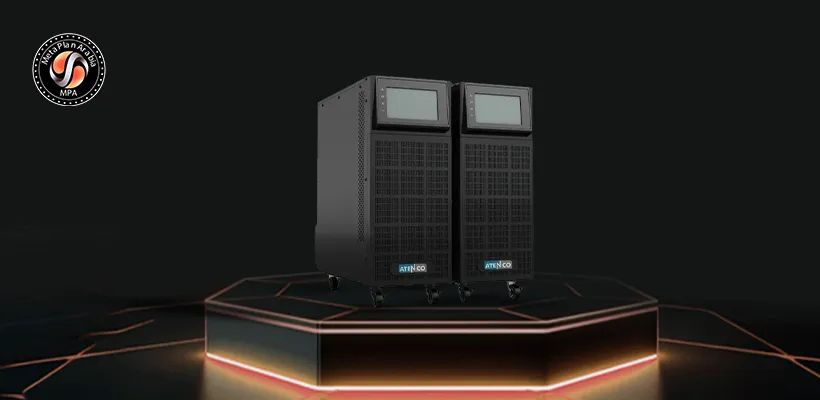
Rack Mount UPS vs Tower UPS is primarily a deployment decision, because both formats can deliver online double-conversion protection, while the right choice depends on rack availability, floor space, load, runtime, cooling, maintenance access, and future expansion; MetaPlan therefore compares the physical and operational requirements before matching an Atenco configuration to a Saudi server room, office, telecom site, or industrial facility.
Rack Mount UPS vs Tower UPS: the practical difference
The clearest difference is placement: a rack unit installs horizontally in a standard 19-inch cabinet, whereas a tower stands independently on the floor, on a suitable plinth, or beside the protected equipment.
For this reason, Rack Mount UPS vs Tower UPS should never be decided from appearance alone; buyers must compare equivalent kVA, watt capacity, battery voltage, autonomy, bypass arrangements, communications, efficiency, and environmental limits.
| Decision factor | Rack mount UPS | Tower UPS |
|---|---|---|
| Installation | Fits a compatible 19-inch cabinet with rails and adequate depth | Stands independently without consuming rack units |
| Best fit | Server racks, network cabinets, telecom and organized IT rooms | Offices, equipment rooms, industrial loads and sites without racks |
| Space trade-off | Preserves floor area but uses valuable U-space | Preserves rack capacity but needs protected floor clearance |
| Maintenance | Requires safe rail support and planned front or rear access | Usually offers simpler all-around access when clearance is maintained |
| Expansion | Matching rack battery cabinets keep the installation consolidated | Tower battery cabinets can scale runtime without filling the IT rack |
Rack Mount UPS for Organized IT Infrastructure
A rack mount UPS is usually the stronger layout choice when servers, switches, storage, and patching already share a cabinet, because protection remains close to the load and cable management stays controlled.
The format can preserve floor space, although Rack Mount UPS vs Tower UPS planning must still reserve sufficient depth, ventilation, load-bearing capacity, service clearance, and low-level mounting for heavy battery equipment.
Online Rack UPS Capacity and Management
The RM11E range spans 1 to 10 kVA, with 1–3 kVA models providing internal battery space and 6–10 kVA models using external batteries for configurable autonomy.
Before choosing this UPS form factor, confirm cabinet depth against the chassis and rear connectors, verify the rail kit, calculate the combined UPS and battery-cabinet weight, and avoid blocking the rack’s intended airflow path.
Send the rack dimensions, protected load, target runtime, and available U-space to receive a configuration check before equipment is ordered, delivered, or installed on site.
RM11E Rack Integration Requirements
An online rack UPS can provide the same continuous double-conversion principle as an equivalent tower model, so sensitive IT equipment receives inverter-conditioned power without a transfer interval during a utility failure.
The RM11E range supports an internal SNMP board across 1–10 kVA, allowing compatible network monitoring, status visibility, and alarm integration without changing the fundamental Rack Mount UPS vs Tower UPS decision.
Tower UPS Flexibility When Rack Space Is Limited
A tower UPS is often more practical when no cabinet exists, the rack is already full, equipment is distributed around a room, or maintenance teams need unobstructed access around the power system.
The independent enclosure avoids consuming rack units, but it requires stable floor placement, protected cable routes, ventilation clearance, protected access, and planning for adjacent battery cabinets.
Online Tower UPS Capacity and Placement
The TM11E range includes online tower models from 1 to 10 kVA, including compact 1–3 kVA versions and 6 or 10 kVA long-runtime versions for external batteries.
In a Rack Mount UPS vs Tower UPS assessment, the tower option is not automatically less professional; a planned equipment-room installation can remain serviceable and organized when cable containment, access, temperature, and physical protection are designed properly.
Tower Deployment for Offices and Equipment Rooms
An online tower UPS suits standalone servers, security equipment, telecom loads, laboratory instruments, and industrial controls when the electrical requirement favors double conversion but the site does not justify a dedicated rack.
Server Room UPS Selection by Space, Load, and Runtime
A server room UPS should be selected from measured watts and apparent power, required autonomy, redundancy policy, future growth, cabinet constraints, and cooling capacity rather than from enclosure style alone.
Start by recording the continuous and peak load of every protected server, switch, storage appliance, security device, and communications component, then define whether batteries must support graceful shutdown, generator start, or prolonged operation.
Server Room UPS Electrical Checks
Compare usable output power rather than kVA alone, retain growth capacity, confirm the battery string and recharge requirement, and decide whether maintenance bypass or redundant power paths are operationally necessary.
Rack Mount UPS vs Tower UPS becomes easier after these requirements are fixed, because the remaining question is which chassis and battery arrangement fits the room without creating access, airflow, or structural problems.
For smaller rack-based loads, MetaPlan’s 3 KVA rack mount UPS information details the RM11E 3 kVA chassis, internal battery space, dimensions, and compatible cabinet arrangement.
TM11E UPS Tower Models
The TM11E UPS family covers online single-phase 1:1 applications from 1 to 10 kVA, using tower enclosures and matching battery cabinets for independent equipment-room installation.
At 1 kVA, TM11E provides internal space for three 9 Ah batteries in a 144 × 399 × 209 mm tower, while RM11E provides the same battery count in a 440 × 460 × 86.5 mm rack chassis.
RM11E UPS Rack Models
The RM11E UPS family covers the same 1–10 kVA application range in rack enclosures, enabling Rack Mount UPS vs Tower UPS comparisons at equivalent capacity and battery scope.
At 3 kVA, both series provide internal space for six 9 Ah batteries at 72 VDC, but TM11E measures 191 × 460 × 337 mm and RM11E measures 440 × 600 × 86.5 mm.
External Batteries for 6 and 10 kVA Models
At 6 and 10 kVA, the long-runtime TM11E and RM11E variants use external batteries, so Rack Mount UPS vs Tower UPS depends heavily on whether matching battery storage belongs inside the rack footprint or beside the power equipment.
| MetaPlan range | Format | Capacity range | Installation emphasis |
|---|---|---|---|
| TM11E | Tower | 1–10 kVA | Independent placement, tower battery cabinets, relay or SNMP options |
| RM11E | Rack mount | 1–10 kVA | 2U-style rack integration, rail kit, rack battery cabinets, SNMP option |
Model, Battery, and Accessory Verification
Review the complete rack mount UPS and tower specifications in MetaPlan’s Atenco inventory before finalizing the model, battery cabinet, rail kit, communications accessories, and installation scope.
Compatible UPS battery planning must safely cover voltage, capacity, ventilation, protection, recharge time, replacement access, isolation, and service procedures for the selected TM11E or RM11E configuration.
Ask MetaPlan to compare the selected TM11E and RM11E configurations against the same load and runtime target, ensuring the commercial comparison covers equivalent electrical and battery scope.
Rack Mount UPS vs Tower UPS Decision Checklist
Use Rack Mount UPS vs Tower UPS as the final physical-design check after electrical duty is defined, then document each requirement so procurement receives genuinely comparable offers.
- Confirm total watts, VA, power factor, inrush behavior, criticality, and planned growth for every connected load.
- Define autonomy at the actual load and whether the system bridges a generator start, controlled shutdown, or longer outage.
- Measure rack width, usable depth, free U-space, rail compatibility, weight capacity, cable bend radius, and airflow direction.
- For a tower, reserve stable floor area, service clearance, ventilation, protected cable routes, and space for battery cabinets.
- Compare online topology, bypass, input and output connections, efficiency, recharge time, alarms, SNMP, warranty, and service support.
- Plan battery replacement access and isolation so routine maintenance does not introduce avoidable downtime or unsafe lifting.
A documented form-factor review prevents procurement teams from comparing chassis prices before battery scope, installation, cooling, maintenance access, accessories, and expansion constraints are evaluated.
Eaton’s network-closet UPS buying guide likewise treats enclosure location, runtime, connections, and manageability as connected requirements, reinforcing a complete Rack Mount UPS vs Tower UPS review.
MetaPlan Assessment for the Right UPS Form Factor
MetaPlan can assess the load schedule, available rack and floor space, target autonomy, battery arrangement, monitoring, bypass, service access, and future expansion before comparing TM11E with RM11E alternatives.
A useful request includes equipment wattage, supply details, rack measurements, room temperature, generator availability, required runtime, site drawings, and any operational rule limiting shutdown or maintenance windows.
Share those details with MetaPlan to turn Rack Mount UPS vs Tower UPS from a generic form-factor preference into a documented technical selection with aligned model, batteries, accessories, and installation scope.
Frequently Asked Questions about Rack Mount UPS vs Tower UPS
These answers address the installation questions that most often affect a safe and serviceable form-factor decision for offices, network cabinets, server rooms, and technical facilities.
A rack model fits a compatible 19-inch cabinet, while a tower stands independently; equivalent models may provide similar topology and capacity, so placement, access, cooling, and battery layout drive the distinction.
Rack mount is usually preferable when servers already occupy a managed cabinet, while tower can suit standalone servers or equipment rooms; electrical capacity, runtime, topology, and service design remain decisive.
Only when the manufacturer explicitly supports rack conversion with approved hardware and orientation; placing an ordinary tower on an improvised shelf can create airflow, stability, access, and warranty problems.
Most rack systems require compatible rails or a rated shelf, plus verified rack depth and weight capacity; RM11E models use the specified RLKT rail kit for supported installations.
Measure watts and VA, define runtime and redundancy, verify connections and bypass, assess rack or floor constraints, plan batteries and cooling, and confirm monitoring plus maintenance access.